A thought has about five seconds to live
You think of something. Open the notes app, find the right note, scroll to the right heading, type it in. By the time you’ve done all that, you’ve forgotten what you came for. Most of my good ideas have died somewhere between “I should write that down” and the third screen of Obsidian.
Vault Capture is a small Android app I built to fix that. A task or a link goes from my phone into my Obsidian vault in a couple of taps, without opening Obsidian at all.
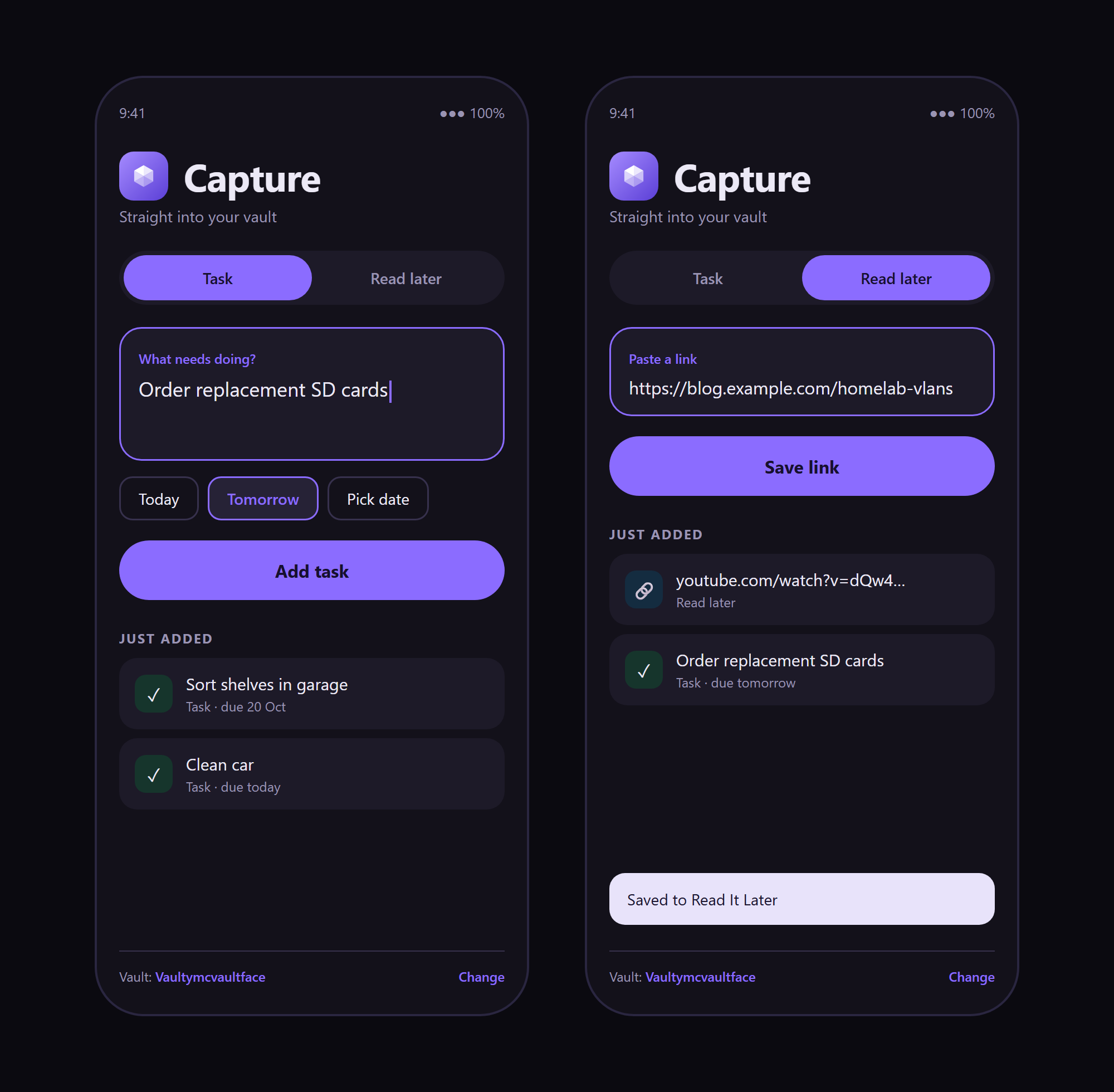
Two jobs, and nothing else
- Task: adds a line to the
## Activelist in my Quick Task note, with a due date: Today, Tomorrow or a picked date. - Read later: saves a link into my Read It Later inbox in the vault.
The best trick is the Share sheet. See something worth keeping in Chrome, YouTube or Reddit, hit Share, tap Vault Capture, and it’s saved with no screen at all.
No lock-in, no cleverness
It writes plain Markdown straight into the synced vault. No server, no account, nothing to break. If I stop using the app tomorrow, every note it ever made is still just a file in my vault.
The interface
I designed the look and the logo first, as a mockup, then built it. It’s dark, built for one hand, and a Task / Read later toggle sits at the top. A “Just added” list underneath lets me tick things off, delete them or undo a mistake. You choose your vault folder once, and it remembers.
Design: the interface and the faceted gem identity, a nod to the obsidian it feeds.
Coding: Kotlin and Android Studio, with Jetpack Compose for the interface.
I wrote more about how this and my Auto Folder Creator came together in the blog post Tiny Tools, Less Friction.